
Cannot Download Word Reports NER in Google Chrome
In KeyValueData and BVDataWord National Economic Review (NER) reports in Word won’t download in Google Chrome. To fix this problem.
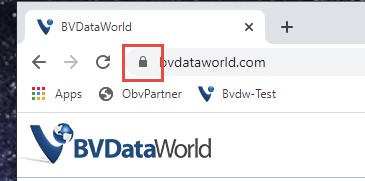
Step 1
Click the lock button to the left of the url.
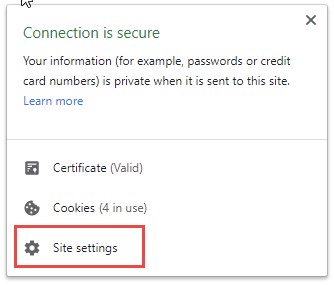
Step 2
Click site settings.
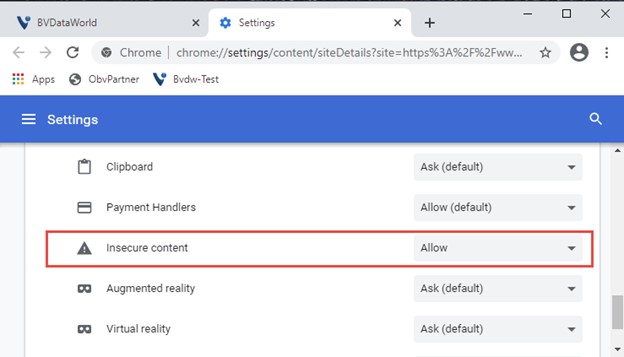
Step 3
Allow Insecure content.
If you need more assistance call 1-800-825-8763. For product information, click here for more information on National Economic Reports.